Dbmovies
Collections
Collections is the content type for grouping related movies and TV shows on one page, such as a saga or a themed selection. This page explains how to create a collection, add titles to it and configure its address.
Overview
A collection groups related titles on one page. Use it to bring together content that belongs together, for example:
- the movies of a saga or a franchise;
- a shared universe that mixes movies and TV shows;
- a curated selection, such as staff picks or a holiday list.
Unlike movies and TV shows, a collection does not describe a single title. It is a container: you give it a name and a description, and then you add the titles that belong to it.
You find Collections in your admin sidebar. From there you see your collections, add new ones, and edit or delete them.
What a collection holds
A collection has two parts:
- Its own information: a title and a description that present it on your site.
- Its titles: the movies and TV shows that belong to it.
A collection does not copy its titles: it points to movies and TV shows that already exist on your site. A title can belong to several collections at once.
Collections have no featured image of their own: your theme can present them with the posters of their titles.
Adding titles to a collection
There are two ways to add a title. Both keep the collection and the title in sync, so a title you add from one side appears on the other.
From the collection
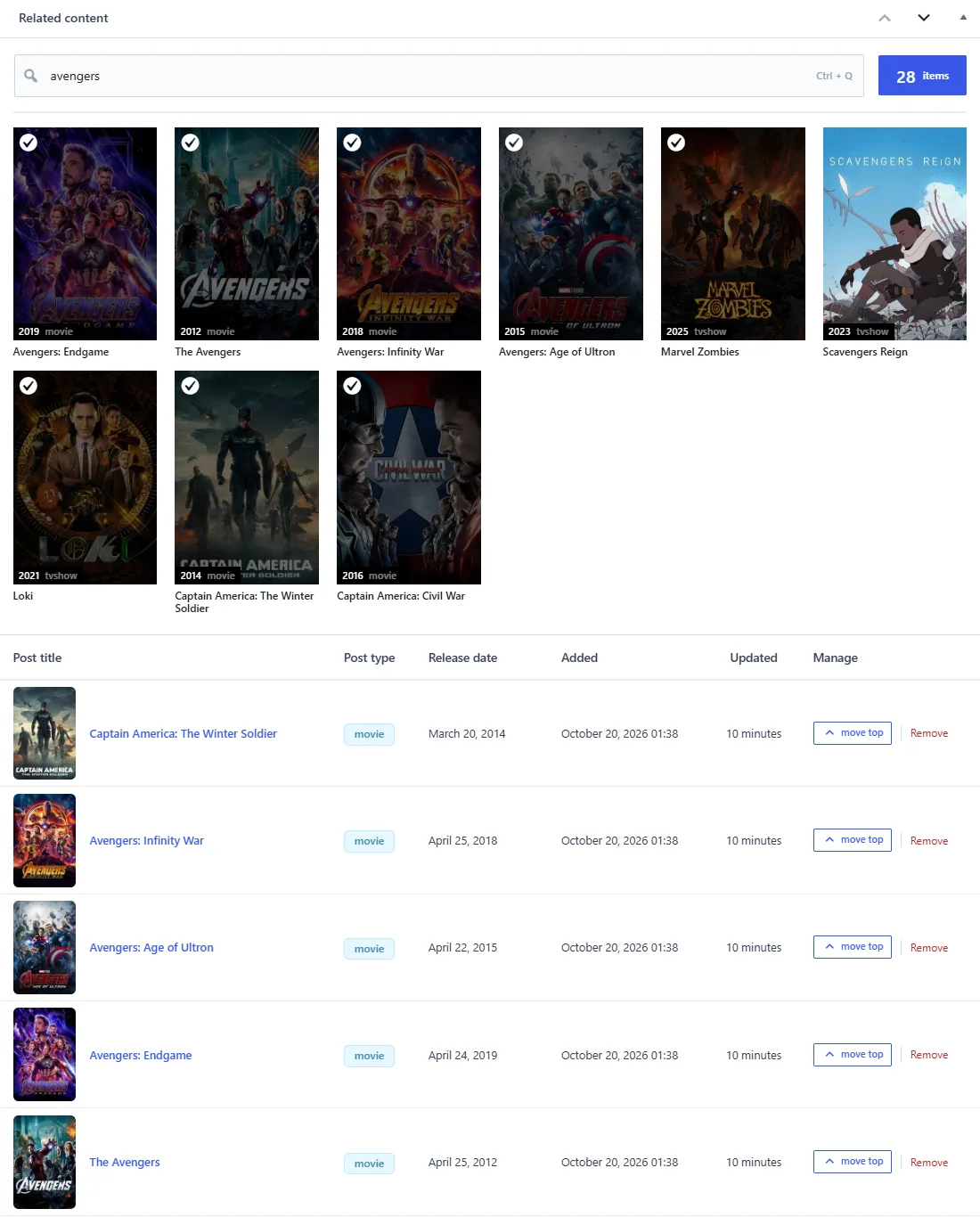
When you edit a collection, the Related content box below the editor works as a live search:
- Click the Search content field, or press Ctrl + Q to clear it and jump to it. Esc closes the results.
- Start typing the name of a movie or a TV show. The results appear as you type, and the ones that are already in the collection are marked.
- Click a result to add it. It appears right away in the list below.
- Repeat for every title you want to include.
The list shows each title with its poster, type, release date, and when it was added and last updated. A counter shows how many titles the collection has, and Load more (or the down arrow key) shows the rest when the list is long.
The titles are ordered from the most recently added or moved. In the Manage column of each row:
- move top moves the title to the top of the collection, which is also the order your site shows.
- Remove takes the title out of the collection. The movie or TV show stays on your site.
From a movie or a TV show
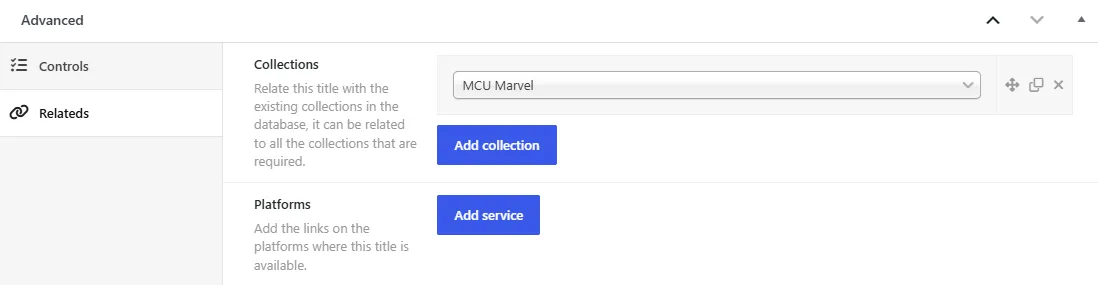
In the editor of a movie or a TV show, open the Advanced box, tab Relateds, and choose one or more collections in the Collections field. When you save, the title is added to those collections, and removing a collection from the field takes the title out of it.
The collections list
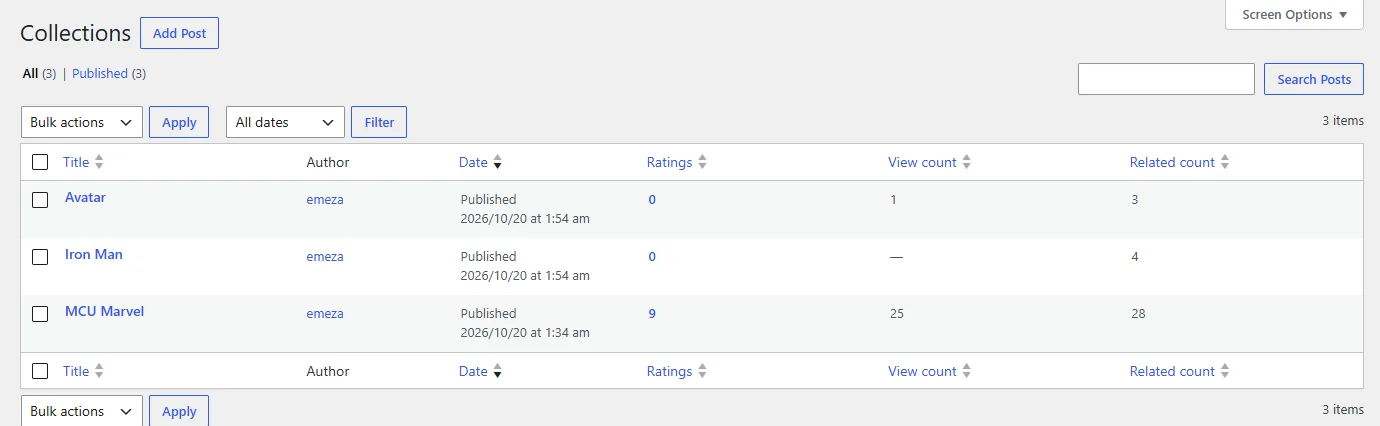
Besides the title and the date, the list has its own columns:
| Column | What it shows |
|---|---|
| Ratings | The rating of your visitors and its number of votes |
| View count | How many times the collection was viewed |
| Related count | How many titles the collection has |
Permalink
Every collection has its own address. You choose the word before the collection name in Settings › Permalinks, in the Dbmovies: Post Type section, field Type: Collections. The default is collections:
https://your-website.com/collections/star-wars-universe/If you leave the field empty, Dbmovies uses the default. Dbmovies refreshes your site addresses on its own when you save.
Changing the word changes the address of every collection you already published. Choose it before you open your site.
What a collection supports
- Title: the name of the collection on your site.
- Editor: its description.
- Comments: turn comments on or off for this collection.
- Author: the user who published it.
- Related content: the box where you add and manage its titles.
Collections do not use genres, release years or the other classifications: they group titles instead of describing one.