Wovie
Wovie
Wovie is the WordPress theme for movie and TV websites built for Dbmovies. This page explains what it shows your visitors, how it works with Dbmovies and how this documentation is organized.
Welcome
Thank you for choosing Wovie. This documentation covers everything you need to run your movie and TV website with it: installing the theme, setting up your menus and home page, what each page shows your visitors, and how to customize it.
What is Wovie?
Wovie is a premium WordPress theme for movie and TV websites. It is built for Dbmovies: Dbmovies imports and manages your catalog, your links, your members and their memberships, and Wovie shows all of it to your visitors, on a dark interface designed for phones first.
Wovie does not include, host or stream any video. You add your own video sources in Dbmovies, and you are responsible for having the rights to publish them.
How Wovie and Dbmovies work together
Wovie needs Dbmovies to work. Each one has its part:
| Dbmovies | Wovie |
|---|---|
| Imports your movies, TV shows, episodes, collections and persons | Shows them on your home page, title pages, archives and search |
| Stores your video links | Opens them in its player, or as downloads |
| Runs sign-in, member accounts, ratings, requests and memberships | Shows the forms and the member account |
| Serves your ads with the Ad Manager | Places them in its ad positions |
| Manages licenses and updates in Dbmovies › Updates | Gets its license and updates there too |
When Dbmovies is not active, the WordPress admin shows a warning: Wovie requires the Dbmovies plugin.
How it works
- Install Dbmovies and activate its license. See the Dbmovies installation.
- Install and activate Wovie. Dbmovies creates the pages for signing in, the member account, the content browser and the contact form. See Installation.
- Activate the Wovie license in Dbmovies › Updates, to receive its updates. See License activation.
- Import your catalog with the Dbmovies importers, and add your links.
- Set up your site: your menus, your logo and the genres of your home page. See First steps.
- Feature your best titles so they appear in the carousel at the top of your home page. See Featured content.
What your visitors get
Discover
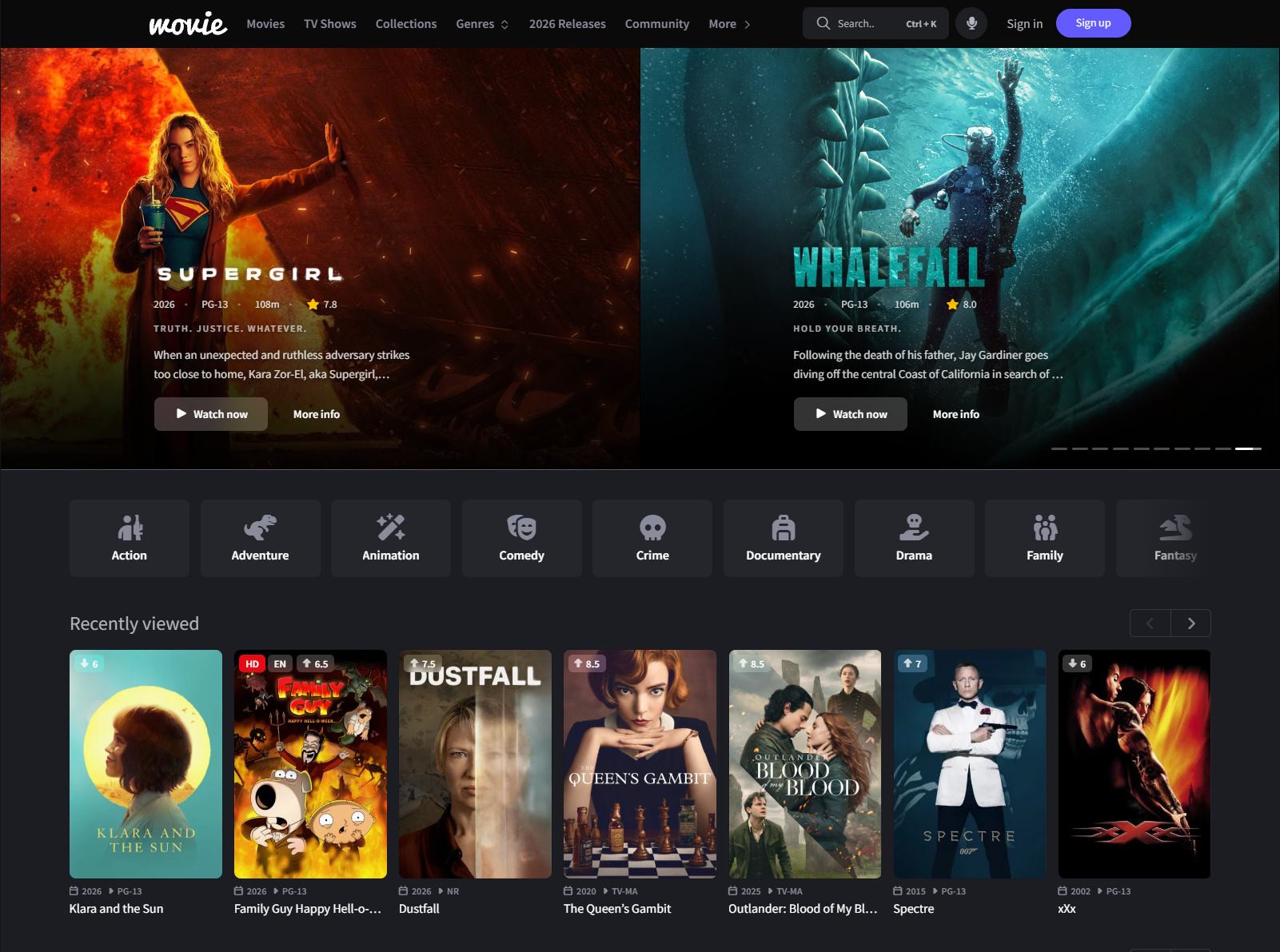
- A home page with a featured carousel, your genres, the titles the visitor viewed recently, the most viewed titles of the day, and the latest movies, TV shows and episodes.
- Archives with genre tabs, country and year filters, and seven sort orders, such as Top rated on IMDb and Most viewed today.
- A search page with filters, a quick search from any page with Ctrl + K, and voice search in the browsers that support it.
Watch
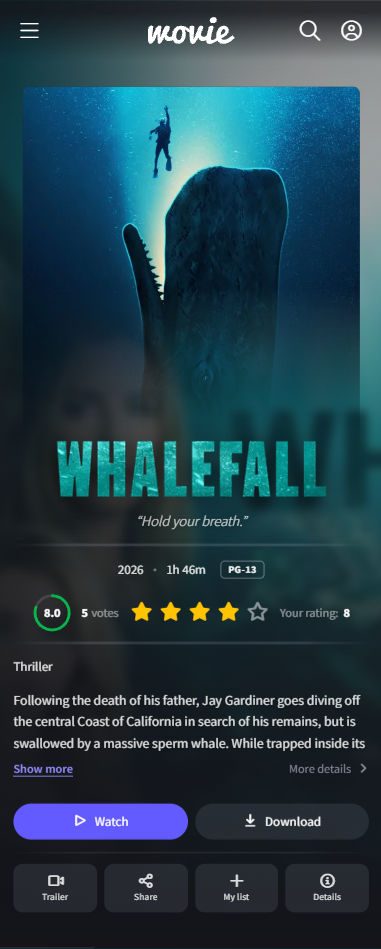
- Pages for each movie, TV show, collection and person.
- TV shows with their seasons and episodes, a Viewed mark on the episodes the visitor opened, and a Continue button to go back to the last one.
- A player that opens in theater mode on computers and inside the page on phones, with downloads, and premium links for members with a membership.
- Trailers, the full details of each title, and sharing to WhatsApp, Telegram, X, Facebook and email.
Members
- Sign in and sign up, with a 6-digit code to confirm the email address, password recovery, Sign in with Google and Cloudflare Turnstile against bots.
- A member account with an overview, My list, their ratings, their title requests, their membership and payments, and their settings.
- Comments with spoiler warnings, emojis, text formatting, likes and dislikes.
For your site
- A contact form, with the departments you set in Dbmovies.
- Ad positions for the Dbmovies Ad Manager.
- Menus for the header and the footer, with the icons of your social networks added on their own.
- Structured data for search engines, which steps aside when you use an SEO plugin. See SEO.
- Ready to translate, with English and Spanish included. See Translations.
What you need
- WordPress 7.0 or higher and PHP 8.1 or higher, the same as Dbmovies.
- Dbmovies, active and with its license activated. We recommend its latest version: some features of Wovie need a recent one.
- A Wovie license, to receive updates.
See Requirements for the full list.
How this documentation is organized
- Getting started: Requirements, Installation, License activation and First steps.
- Pages: what each page of your site shows, from the home page to the member account and the contact form.
- Player: how your visitors watch and download.
- Appearance: the theme options, the menus and the ad positions.
- Customization: child themes, translations, SEO, and the hooks for developers.
- Troubleshooting and Releases: common problems, and what changed in each version.
Everything that Dbmovies does, such as importing titles, managing links or charging memberships, is explained in the Dbmovies documentation.
Getting help
- Support tickets: customers with an active license can open a ticket from their account.
- Telegram group: join the Doothemes community on Telegram.
- Community forum: questions and answers from other Doothemes users at community.doothemes.com.